

All patterns

Cart Quantity Stepper

Stepping the quantity rolls the count and both totals in the direction of the change.

commercefriendlyminimalinteraction · finite · starter · ~0.3s
Interactive · click to play
Variant

The animated component in this preview is rendered from the canonical file shown here. The surrounding demo shell only provides context and is not part of the copied code.

368 lines · react + motion only
import { useState } from "react";
import { AnimatePresence, motion, useReducedMotion } from "motion/react";

/**
 * Vibary · Cart Quantity Stepper
 *
 * Change the quantity and every figure that depends on it rolls in the
 * direction of the change: up for more, down for less. The digits
 * translate and crossfade inside fixed-width slots — they never scale,
 * never bounce and never shift the layout, because the one thing a
 * shopper must be able to trust at a glance is the number.
 *
 * Self-contained: depends only on `motion` (react ships with your app).
 * Surfaces are mixed from the inherited text color; the thumbnail is a
 * CSS gradient standing in for photography until you pass `imageSrc`.
 * Works with zero props; tune via `variant`, `unitPrice`, `imageSrc`.
 * Requires the automatic JSX runtime (default since React 17).
 */

export type QuantityStepperCartProps = {
  /** Visual character of the motion. */
  variant?: "subtle" | "default" | "playful";
  /** Price of a single unit. */
  unitPrice?: number;
  /** Quantity on first render. */
  defaultQuantity?: number;
  /** What the rest of the cart comes to. */
  otherItemsTotal?: number;
  /** Real product photograph; omit for the built-in gradient placeholder. */
  imageSrc?: string;
  /** Fires with the new quantity. */
  onQuantityChange?: (quantity: number) => void;
};

type VariantConfig = {
  /** How far a rolling figure travels, in pixels. */
  travel: number;
  /** Seconds for a figure to roll. */
  roll: number;
  press: { type: "spring"; stiffness: number; damping: number };
};

// Quality rule: money and counts translate, they never scale. The only
// sprung element is the button press, at a damping ratio at or above
// 0.8, and every figure sits in a fixed-width tabular slot so a 9
// becoming a 10 cannot nudge the row sideways.
const VARIANTS: Record<"subtle" | "default" | "playful", VariantConfig> = {
  // Barely a roll — for a cart line inside a long list.
  subtle: {
    travel: 8,
    roll: 0.16,
    press: { type: "spring", stiffness: 620, damping: 44 },
  },
  // The direction of the change is legible. All-purpose.
  default: {
    travel: 15,
    roll: 0.24,
    press: { type: "spring", stiffness: 480, damping: 38 },
  },
  // A longer roll for a cart page where the total is the headline.
  playful: {
    travel: 22,
    roll: 0.32,
    press: { type: "spring", stiffness: 400, damping: 34 },
  },
};

const ACCENT = "#5B7CFA";

/** Theme-adaptive neutral: `currentColor` is the text color this component
 *  inherits — near-black on a light page, near-white on a dark one — so
 *  mixing it with `transparent` yields a surface, border or fill that is
 *  correctly toned in either theme. Nothing to configure. */
const tone = (percent: number) =>
  `color-mix(in srgb, currentColor ${percent}%, transparent)`;

/** The placeholder stands in for a photograph, so it stays literal. */
const PLACEHOLDER_ART = "linear-gradient(145deg, #6E8BFA, #9A6BF0)";

const money = (value: number) =>
  `$${value.toLocaleString("en-US", {
    minimumFractionDigits: 2,
    maximumFractionDigits: 2,
  })}`;

/**
 * One value in a fixed slot. The outgoing figure leaves the way the new
 * one arrives, so the roll carries the direction of the change — up when
 * the number grew, down when it shrank.
 */
function Roll({
  value,
  direction,
  width,
  height,
  fontSize,
  fontWeight,
  travel,
  duration,
  align,
}: {
  value: string;
  direction: number;
  width: number;
  height: number;
  fontSize: number;
  fontWeight: number;
  travel: number;
  duration: number;
  align: "center" | "right";
}) {
  return (
    <span
      style={{
        position: "relative",
        display: "block",
        width,
        height,
        overflow: "hidden",
      }}
    >
      <AnimatePresence initial={false}>
        <motion.span
          key={value}
          initial={{ y: direction * travel, opacity: 0 }}
          animate={{ y: 0, opacity: 1 }}
          exit={{ y: -direction * travel, opacity: 0 }}
          transition={{ duration, ease: "easeOut" }}
          style={{
            position: "absolute",
            inset: 0,
            display: "flex",
            alignItems: "center",
            justifyContent: align === "right" ? "flex-end" : "center",
            fontSize,
            fontWeight,
            lineHeight: `${height}px`,
            fontVariantNumeric: "tabular-nums",
            whiteSpace: "nowrap",
          }}
        >
          {value}
        </motion.span>
      </AnimatePresence>
    </span>
  );
}

export default function QuantityStepperCart({
  variant = "default",
  unitPrice = 19,
  defaultQuantity = 2,
  otherItemsTotal = 92.5,
  imageSrc,
  onQuantityChange,
}: QuantityStepperCartProps) {
  const reduceMotion = useReducedMotion();
  const cfg = VARIANTS[variant];
  const [quantity, setQuantity] = useState(Math.max(1, defaultQuantity));
  const [direction, setDirection] = useState(1);

  // Reduced motion: the figures still change, they just swap in place
  // instead of travelling. Direction stops being expressed as movement.
  const travel = reduceMotion ? 0 : cfg.travel;
  const roll = reduceMotion ? 0.12 : cfg.roll;

  const step = (delta: number) => {
    const next = Math.min(9, Math.max(1, quantity + delta));
    if (next === quantity) return;
    setDirection(delta > 0 ? 1 : -1);
    setQuantity(next);
    onQuantityChange?.(next);
  };

  const lineTotal = unitPrice * quantity;
  const cartTotal = otherItemsTotal + lineTotal;

  const stepperButton = (delta: number, label: string, path: string) => {
    const disabled = delta < 0 ? quantity <= 1 : quantity >= 9;
    return (
      <motion.button
        type="button"
        onClick={() => step(delta)}
        disabled={disabled}
        aria-label={label}
        whileTap={disabled || reduceMotion ? undefined : { scale: 0.9 }}
        transition={cfg.press}
        style={{
          display: "grid",
          placeItems: "center",
          width: 28,
          height: 28,
          borderRadius: 8,
          border: "none",
          background: "transparent",
          color: "inherit",
          opacity: disabled ? 0.3 : 0.85,
          cursor: disabled ? "not-allowed" : "pointer",
        }}
      >
        <svg
          width="13"
          height="13"
          viewBox="0 0 20 20"
          fill="none"
          stroke="currentColor"
          strokeWidth="2.2"
          strokeLinecap="round"
          aria-hidden
        >
          <path d={path} />
        </svg>
      </motion.button>
    );
  };

  return (
    <div
      style={{
        width: 330,
        padding: 16,
        borderRadius: 18,
        background: tone(6),
        color: "inherit",
        border: `1px solid ${tone(12)}`,
        fontFamily: "inherit",
        boxSizing: "border-box",
      }}
    >
      <div style={{ display: "flex", gap: 12, alignItems: "center" }}>
        <span
          aria-hidden
          style={{
            width: 54,
            height: 54,
            flexShrink: 0,
            borderRadius: 12,
            background: PLACEHOLDER_ART,
            overflow: "hidden",
          }}
        >
          {imageSrc && (
            <img
              src={imageSrc}
              alt=""
              style={{
                width: "100%",
                height: "100%",
                objectFit: "cover",
                display: "block",
              }}
            />
          )}
        </span>

        <span style={{ flex: 1, minWidth: 0 }}>
          <span style={{ display: "block", fontSize: 13, fontWeight: 640 }}>
            Ceramic dripper
          </span>
          <span
            style={{
              display: "block",
              fontSize: 11.5,
              opacity: 0.55,
              marginTop: 2,
              fontVariantNumeric: "tabular-nums",
            }}
          >
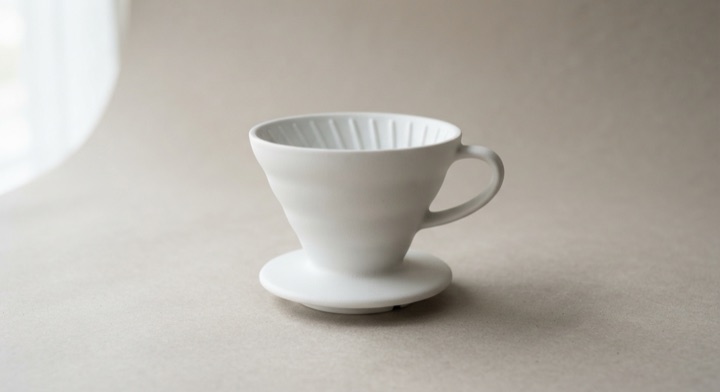
            {money(unitPrice)} each · Matte white
          </span>
        </span>

        <span
          style={{
            display: "flex",
            alignItems: "center",
            borderRadius: 10,
            border: `1px solid ${tone(14)}`,
            background: tone(5),
            padding: 2,
          }}
        >
          {stepperButton(-1, "Reduce quantity", "M4.5 10h11")}
          <Roll
            value={String(quantity)}
            direction={direction}
            width={22}
            height={20}
            fontSize={13}
            fontWeight={660}
            travel={travel}
            duration={roll}
            align="center"
          />
          {stepperButton(1, "Increase quantity", "M10 4.5v11M4.5 10h11")}
        </span>
      </div>

      <div
        style={{
          display: "flex",
          alignItems: "center",
          justifyContent: "space-between",
          marginTop: 14,
          paddingTop: 12,
          borderTop: `1px solid ${tone(10)}`,
        }}
      >
        <span style={{ fontSize: 12, opacity: 0.6 }}>Line total</span>
        <Roll
          value={money(lineTotal)}
          direction={direction}
          width={92}
          height={19}
          fontSize={13}
          fontWeight={640}
          travel={travel}
          duration={roll}
          align="right"
        />
      </div>

      {/* The cart sum is downstream of the line, so it moves less: a
          shorter travel reads as a consequence rather than a second
          announcement competing with the first. */}
      <div
        style={{
          display: "flex",
          alignItems: "center",
          justifyContent: "space-between",
          marginTop: 9,
        }}
      >
        <span style={{ fontSize: 13.5, fontWeight: 660 }}>Cart subtotal</span>
        <Roll
          value={money(cartTotal)}
          direction={direction}
          width={104}
          height={22}
          fontSize={15.5}
          fontWeight={680}
          travel={Math.round(travel * 0.6)}
          duration={roll * 1.1}
          align="right"
        />
      </div>

      <button
        type="button"
        style={{
          marginTop: 14,
          width: "100%",
          padding: "10px 14px",
          fontSize: 13,
          fontWeight: 650,
          fontFamily: "inherit",
          borderRadius: 11,
          border: "none",
          background: ACCENT,
          color: "#FFFFFF",
          cursor: "pointer",
        }}
      >
        Go to checkout
      </button>
    </div>
  );
}

About this pattern

A cart line where every figure downstream of the stepper answers it. The outgoing number leaves the way the new one arrives, so the roll itself carries the direction — up for more, down for less — and the cart sum travels a shorter distance than the line total, which reads as a consequence rather than a second announcement competing with the first. Figures sit in fixed-width tabular slots so a 9 becoming a 10 cannot nudge the row sideways, and they translate and crossfade rather than scaling: the one thing a shopper must trust at a glance is the number.

Cart line quantityBasket item adjustmentOrder quantity pickerSubscription unit count

Where it shows up

Screens we drew to show where this motion usually sits. Illustrations, not captures of any product.

  • Your bag
    Ridgeline GT — Bone, US 91+$132.00
    Merino crew sock, 2-pack2+$24.00
    Subtotal$156.00Shipping$0.00Tax$13.65Total$169.65
    Checkout
    Cart

    Adjusting an item's count animates the line and basket figures in the direction of the change.
Related patterns